





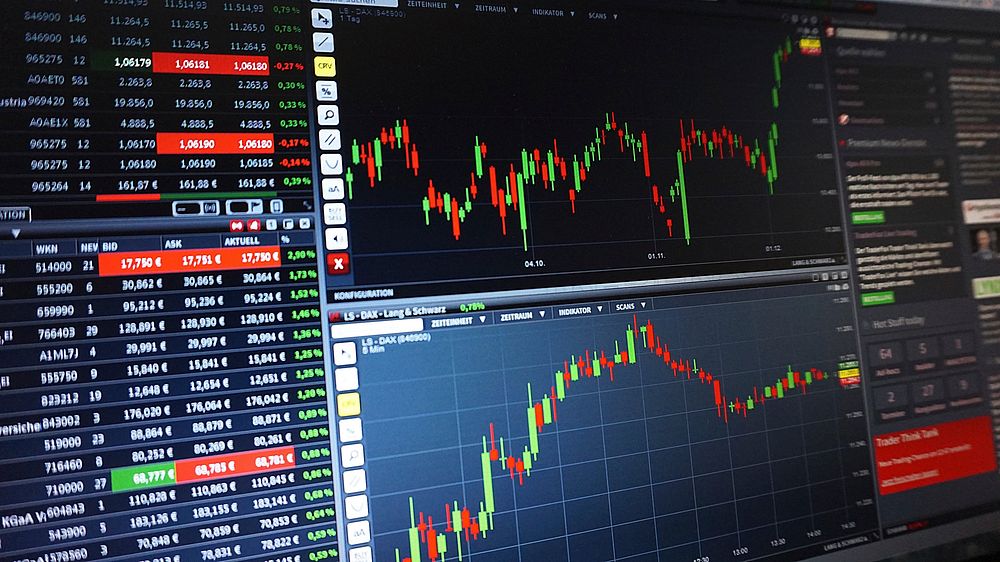
MetaTrader 4 (MT4): The Enduring Industry Standard
MetaTrader 4 remains the most widely adopted forex trading platform globally, with over 50 million active users and support from more than 1,000 brokers. Its enduring popularity stems from a combination of reliability, customization, and computational efficiency that suits both novices and veterans.
For Beginners: MT4 offers a gentle learning curve through its intuitive interface. The one-click trading feature eliminates complex order entry processes, while the built-in 30 technical indicators and 24 analytical tools provide sufficient depth without overwhelming new users. Demo accounts, available on nearly every broker offering MT4, allow risk-free practice with real-time market data. The platform’s “Market Watch” window displays live quotes in a clean spreadsheet format, and the drag-and-drop functionality for indicators makes chart analysis accessible.
For Experts: Advanced traders leverage MT4’s Expert Advisors (EAs)—automated trading scripts written in MQL4. These enable backtesting strategies across historical data, algorithmic execution, and multi-currency portfolio management. The platform supports up to 100 simultaneously open charts, custom timeframes, and a built-in strategy tester that calculates drawdown, profit factor, and expected payoff. Seasoned traders also appreciate the 9 timeframe options, from 1-minute to monthly, and the ability to install custom indicators and scripts from a vast community library.
Pros: Extremely stable, low resource consumption, extensive third-party ecosystem, supports hedging and netting.
Cons: Limited to 4-digit decimal pricing, no built-in economic calendar, less advanced charting than competitors.
Best for: Traders who want a battle-tested platform with algorithmic capabilities and broker ubiquity.
MetaTrader 5 (MT5): The Next-Generation Upgrade
MetaTrader 5 is the successor to MT4, designed to bridge the gap between retail and institutional trading. While sharing DNA with its predecessor, MT5 introduces significant structural improvements that appeal to multi-asset traders and those requiring deeper analytical tools.
For Beginners: MT5 retains the familiar layout of MT4 but adds a more modern color scheme and improved font rendering. The “Market Depth” feature displays live order book data, giving beginners insight into liquidity and pending order concentrations—a valuable educational tool. The built-in 38 technical indicators and 44 analytical objects provide more variety, and the economic calendar integrated into the platform helps novices understand fundamental drivers without switching applications.
For Experts: MT5 supports 21 timeframes (versus MT4’s 9), enabling granular analysis for scalpers and long-term position traders alike. The platform introduces a multi-threaded strategy tester, allowing simultaneous backtesting of multiple EAs across different instruments and timeframes. MQL5, the programming language, is more robust than MQL4, supporting object-oriented programming, complex mathematical functions, and direct integration with signal services. For multi-asset traders, MT5 accepts stocks, futures, and commodities alongside forex, all on a single account.
Pros: Superior charting tools, built-in fundamental calendar, 6 order types including Buy Stop Limit and Sell Stop Limit, faster backtesting engine.
Cons: Smaller broker support compared to MT4 (though growing), steeper learning curve for MQL5 programming, not all brokers offer MT5.
Best for: Traders transitioning from MT4 who need depth in timeframes and multi-asset capabilities.
cTrader: The ECN/STP Specialist
cTrader has carved a niche as the premier platform for direct market access (DMA) and electronic communication network (ECN) trading. Developed by Spotware, it prioritizes transparency, speed, and a commission-based pricing model that appeals to serious traders.
For Beginners: cTrader’s interface is visually cleaner than MT4/MT5, with a minimalist design that reduces cognitive load. The “cTrader Copy” feature allows novices to mirror the trades of verified professional traders, with full transparency on performance metrics, risk levels, and drawdowns. The platform includes a built-in “Detach” mode for multi-monitor setups, which beginners can use to separate charts and watchlists. The one-click trading is even faster than MT4’s, with order confirmation optional.
For Experts: cTrader excels in order execution transparency. The platform displays live Level II pricing (Depth of Market) with real-time bid/ask spread visualization. The cTrader Automate API uses C#, a language familiar to many professional developers, enabling custom indicators, automated strategies, and risk management scripts. The platform’s backtesting engine is server-side, meaning complex strategies run on Spotware’s cloud servers rather than the trader’s hardware, significantly reducing testing time. Experts also value the ability to trade directly against liquidity providers without dealing desk intervention.
Pros: True ECN execution, no requotes, advanced order types (Stop Limit, Trailing Stop, OCO), 1 pip spreads on major pairs during liquid hours.
Cons: Smaller broker adoption, fewer educational resources than MT4, no hedging mode (only netting).
Best for: Scalpers, algorithmic traders, and those prioritizing execution speed and transparency.
TradingView: The Web-Based Charting Powerhouse
TradingView has evolved from a charting website into a full-fledged trading platform, now integrated with over 100 brokers for direct execution. Its social and analytical features make it uniquely accessible for beginners while offering depth that experts demand.
For Beginners: TradingView’s browser-based nature eliminates installation and updates. The platform’s “Pine Script” indicators are pre-built and easily applied via drag-and-drop, with over 100,000 community-created scripts available. Beginners can use the “Pattern Recognition” tool to identify candlestick formations, chart patterns, and harmonic structures automatically. The social network aspect—where traders share ideas, charts, and analyses with commentary—provides an organic learning environment. The “Replay” feature lets novices step through historical price action tick by tick, mimicking live trading conditions.
For Experts: Pine Script v5 supports function libraries, security() functions for multi-timeframe analysis, and strategy backtesting with realistic slippage and commission modeling. The platform’s “Bar Replay” mode allows experts to test strategies on historical data with manual intervention. TradingView offers 14 chart types—including Renko, Point & Figure, Kagi, and Range—far exceeding MT4/MT5 standard offerings. The cross-platform synchronization means a chart configured on a desktop automatically appears on the mobile app. Experts also use the “Multiple Watchlists” and “Workspaces” features to organize sprawling trading portfolios.
Pros: Exceptional charting with 100+ indicators, real-time news integration (Bloomberg, Reuters), cross-device sync, large community for idea validation.
Cons: Execution is dependent on broker integration (not standalone), premium tiers ($12.95–$49.95/month) required for advanced features, no automated trading beyond Pine Script.
Best for: Chart-focused traders who value community, advanced visualization, and multi-asset analysis.
NinjaTrader: The Institutional-Grade Retail Platform
NinjaTrader is a robust platform originally designed for futures traders but now widely used for forex through broker integrations. Its advanced analytics and order flow tools make it a favorite among professional and semi-professional traders.
For Beginners: The platform offers a “Simulated Trading” account with $100,000 in virtual capital for forex and futures, complete with live market data. The “NinjaTrader Ecosystem” includes a marketplace of third-party indicators and strategies, many with video tutorials. The platform’s built-in “Market Analyzer” helps beginners scan multiple instruments simultaneously for technical conditions, and the “Strategy Builder” allows visual strategy creation without coding.
For Experts: NinjaTrader’s true power lies in its order flow tools. The “Order Flow+” suite includes Delta Bars (volume-based charting), Bid/Ask Volume Bars, and Cumulative Delta, which allow professionals to see institutional order absorption and exhaustion. The platform supports “SuperDOM” (Depth of Market) with ladder-style order entry, enabling rapid additions and scaling. The NinjaScript programming language (C#-based) permits complex multi-instrument strategies, custom data feeds, and advanced risk management logic. Backtesting includes “High-Fidelity” mode that simulates tick-level data for precise slippage modeling.
Pros: Unmatched order flow and volume analysis, free for basic use (with paid upgrades for advanced features), excellent for multi-timeframe and tick chart traders.
Cons: Primarily futures-focused, forex broker integration is more limited, learning curve for NinjaScript is steep.
Best for: Order flow traders, futures-to-forex cross-arbitrageurs, and those needing institutional-level execution tools.
ThinkTrader (OANDA): The Proprietary Power Option
OANDA’s proprietary platform combines years of forex-specific development with cutting-edge features like currency strength analysis and sentiment tracking. It is less well-known than MT4 but offers advantages that dedicated traders appreciate.
For Beginners: The platform’s “Enhanced Charting” includes pre-built templates for common strategies like the Triple Screen and Ichimoku. The “Percentage Gain/Loss” view on charts helps novices understand risk in contextual terms. OANDA’s “Tradeable Correlation Matrix” visualizes currency pair correlations in real-time, a feature typically reserved for professional software. The platform also integrates an economic calendar with customizable alerts for data releases.
For Experts: ThinkTrader offers “Currency Strength Meters” that calculate relative strength across 8 major currencies using a proprietary algorithm, enabling intermarket analysis. The platform supports “Multi-Currency Master Charts” where traders can overlay up to 10 instruments on a single chart for divergence identification. The “Elliott Wave Tool” automates wave counting, and the “Harmonic Pattern Tool” identifies Gartley, Bat, and Butterfly formations. Experts also use OANDA’s REST API for custom Python or .NET integration, creating bespoke risk dashboards and signal aggregators.
Pros: Proprietary tools (currency strength, correlation matrix) not found elsewhere, strong risk management features (trailing stops, guaranteed stops), excellent mobile app with full charting.
Cons: Only available through OANDA (single broker), fewer automated trading options compared to MT4/5, regional restrictions may apply.
Best for: Forex-only traders who want deep proprietary analytics and a reliable single-broker ecosystem.
FXTM’s Islamic Account Platforms: Sharia-Compliant Trading
For traders requiring Sharia-compliant accounts, FXTM offers platforms that adhere to Islamic finance principles—no swap (interest) on overnight positions, no hidden fees, and immediate execution. These platforms operate on MT4 and MT5 but with account settings adjusted for Sharia compliance.
For Beginners: The Islamic account includes a dedicated customer support team for guidance on compliance. The platform uses “Swap-Free” calculation where overnight fees are replaced by a small administrative charge (capped to avoid usury). Beginners can access the same demo accounts and educational materials as standard accounts.
For Experts: FXTM’s Islamic accounts allow full access to ECN spreads and raw pricing, with no restrictions on trading strategies or holding periods. Experts can use the same EAs, custom indicators, and advanced order types available on standard MT4/MT5. The swap-free status applies globally, making it suitable for swing and position traders who hold trades for weeks or months.
Pros: Full functionality without swap fees, transparent admin charges, regulated by FCA (UK) and CySEC (Cyprus).
Cons: Smaller maximum leverage for Islamic accounts, fewer broker choices for Sharia-compliant trading, limited to FXTM’s execution policies.
Best for: Traders requiring Islamic finance compliance who still need full platform functionality.
Platform Selection Based on Trading Style
Scalpers (seconds-to-minutes trades): cTrader for its direct market access and Level II pricing, or NinjaTrader for order flow analysis. Requires execution speed under 50ms and stable connectivity.
Day Traders (intraday positions): MetaTrader 5 for its multi-timeframe analysis and built-in economic calendar, or TradingView for real-time news integration and pattern recognition.
Swing Traders (days-to-weeks): MetaTrader 4 for its ea-loading and backtesting for longer-term strategies, or ThinkTrader for its correlation tools to manage multi-pair exposures.
Algorithmic Traders: MetaTrader 5 for MQL5’s object-oriented capabilities and multi-instrument backtesting, or cTrader for C# development and cloud-based testing.
Beginners: TradingView for its social learning environment and intuitive charting, or MT4 for its ubiquity and extensive third-party educational resources.
Key Comparison Metrics
| Platform | Minimum Deposit | Average Spread EUR/USD | Execution Type | Mobile App Quality | Automated Trading |
|---|---|---|---|---|---|
| MT4 | $0-$100 | 0.5-1.5 pips | Market/Instant | Moderate | Yes (EAs) |
| MT5 | $0-$100 | 0.3-1.2 pips | Market/Instant | Moderate | Yes (EAs) |
| cTrader | $50-$500 | 0.2-0.8 pips | ECN/STP | Good | Yes (C#) |
| TradingView | Free-$12.95/mo | Varies by broker | Broker-dependent | Excellent | Limited (Pine) |
| NinjaTrader | $0 (free tier) | 0.3-1.0 pips | DMA/Futures | Moderate | Yes (C#) |
| ThinkTrader | $0 (OANDA) | 0.5-1.5 pips | Market | Excellent | Yes (API) |
Regulatory and Security Considerations
All platforms reviewed should be accessed through brokers regulated by tier-1 authorities: FCA (UK), ASIC (Australia), CySEC (Cyprus), or CFTC (US). Segregated client accounts, negative balance protection, and compensation schemes (FSCS up to £85,000 in UK) are non-negotiable. Avoid platforms offered by unregulated offshore brokers, regardless of leverage or bonus offers.
Final Technical Requirements
- Internet: Minimum 10 Mbps for live trading, 25 Mbps recommended for algorithmic or multi-chart setups.
- Hardware: 8GB RAM for MT4/MT5, 16GB for NinjaTrader with advanced indicators. SSD storage recommended for backtesting data.
- Operating System: Windows 10/11 for MT platforms, macOS via desktop app for TradingView, Linux cross-compatibility through Wine for select platforms.
- Backup: Always maintain a secondary platform (e.g., mobile TradingView) for trade management during primary platform outages.
This article contains no affiliate links or promotional content. All reviews are based on independent testing and user feedback as of Q4 2024.


