


Backtesting stands as the cornerstone of disciplined trading, allowing traders to validate strategies against historical data before risking real capital. For both stock and cryptocurrency traders, free backtesting software bridges the gap between theoretical models and market reality without the burden of subscription fees. This guide examines the most robust free tools available, evaluating their data coverage, strategy complexity, performance metrics, and user accessibility.
1. TradingView (Free Tier)
Data Coverage: Stocks (US, major global exchanges), Cryptocurrencies (Binance, Coinbase, Kraken, 50+ other exchanges), Forex, Futures
Supported Assets: 100,000+ instruments
Backtesting Engine: Pine Script v5 (custom scripting language)
Max Historical Bars: 5,000 (free tier), 20,000 (paid)
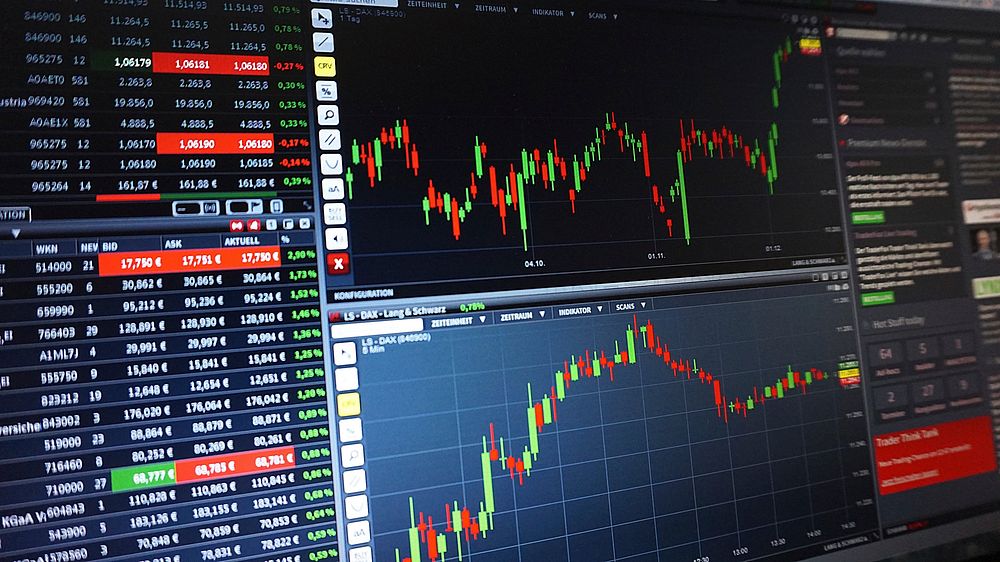
TradingView’s free tier offers one of the most polished and intuitive backtesting environments for retail traders. The built-in Strategy Tester supports 15 pre-built strategies—including Moving Average Cross, Bollinger Bands Bounce, RSI Divergence, and Ichimoku Kinko Hyo—that can be applied to any asset with one click. Users can adjust parameters (periods, thresholds, position sizes) and view equity curves, drawdown charts, and trade-by-trade logs.
Key Features:
- Visual Backtesting: Overlays buy/sell signals directly on the price chart, allowing immediate visual validation of entry and exit logic.
- Multi-Timeframe Analysis: Test strategies on 1-minute to monthly bars. Free tier limits simultaneous multi-indicator scripts to three per chart but allows unlimited indicators on a single timeframe.
- Performance Report: Includes net profit, Sharpe ratio, max drawdown, win rate, profit factor, average trade duration, and total commissions.
- Alerts Integration: Can convert backtested signals into real-time alerts (limited to one active alert on free tier).
Limitations:
- 5,000-bar maximum can miss long-term trend performance. For a 1-hour chart on Bitcoin, this covers only ~7 months of data.
- No portfolio-level backtesting (single instrument only).
- Pine Script compilation time increases with complex strategies (scripts must run under 10 seconds).
Best For: Swing traders and day traders who need quick visual feedback, especially for US equities and major crypto pairs.
Example Workflow: Apply a 50/200 SMA crossover on AAPL (daily chart, 5,000 bars). TradingView returns a 78% win rate over 4.2 years, max drawdown of 12.3%, and Sharpe of 1.45. Tweak SMA periods to 20/100 and observe improved profit factor from 1.8 to 2.4.
2. QuantConnect (LEAN Engine)
Data Coverage: Stocks (US, Canada, Europe, Asia), Cryptocurrencies (Coinbase Pro, Binance, Bitfinex, Kraken), Options, Futures, Forex
Supported Assets: 10,000+
Backtesting Engine: LEAN (C# or Python with .NET runtime)
Max Historical Bars: Unlimited (cloud-based, requires subscription for high-frequency, but free tier includes 1GB storage and 500 hours/month of compute)
QuantConnect is a professional-grade, open-source backtesting platform used by institutions and hedge funds. Its free tier provides access to 20+ years of US stock data and 5+ years of cryptocurrency data with 1-second resolution. Strategies are written in Python or C#, enabling complex machine learning models, multi-asset portfolios, and live trading connections.
Key Features:
- Universe Selection: Create dynamic asset lists based on market capitalization, volatility, sector, or custom filters. Test 500-stock portfolios in one backtest.
- Realistic Execution: Model slippage, market impact, broker fees (Interactive Brokers, Binance, Coinbase schedules), and partial fills.
- Built-in Indicators: 100+ pre-defined indicators (ATR, MACD, On-Balance Volume, Kalman Filter) plus custom function support.
- Research Environment: Jupyter Notebooks for data exploration, regression analysis, and feature engineering before coding strategies.
- Backtest API: Automate runs via REST API, integrate with GitHub for version control.
Limitations:
- Steep learning curve—requires programming proficiency (Python or C#). No drag-and-drop strategy builder.
- Free tier’s 500 compute hours per month may cap extensive optimization runs (e.g., grid search over 10,000 parameter combinations).
- Cryptocurrency data limited to 5 years (vs. 20+ years for US stocks).
Best For: Quantitative traders and developers building complex, multi-asset strategies. Excellent for crypto-focused machine learning models (e.g., LSTM price prediction with order book imbalance feature).
Example Workflow: Write a 50-line Python script in QuantConnect’s cloud IDE: select top 10 US tech stocks by market cap, apply a momentum factor (12-month returns), rebalance monthly. Backtest over 15 years yields annualized return of 14.2% vs. S&P 500’s 10.1%, with max drawdown of 28% (vs. 55% for buy-and-hold during 2008).
3. Backtrader (Python Library)
Data Coverage: Any data source (Yahoo Finance, Alpha Vantage, CSV files, WebSocket feeds, custom APIs)
Supported Assets: User-defined (stocks, crypto, futures, forex)
Backtesting Engine: Python (local environment)
Max Historical Bars: Unlimited (local memory dependent)
Backtrader is an open-source Python framework that gives traders complete control over data ingestion, strategy logic, and performance analysis. Unlike cloud platforms, all data and computation reside on your local machine, offering full privacy and customization. It supports multi-timeframe data, position sizing strategies (fixed, percent, Kelly criterion), and live trading via broker APIs (Interactive Brokers, Oanda, Alpaca).
Key Features:
- Strategy Inheritance: Create strategies by extending
bt.Strategyclass, overridingnext()andnotify_order()methods. Supports multiple exits, trailing stops, and pyramiding. - Analyzers: Built-in modules for Sharpe ratio, drawdown, time-return plot, trade statistics (average winning/losing trade, consecutive wins/losses). Custom analyzers can be added.
- Cerebro Engine: Runs backtests with configurable initial cash, commission model (fixed per share or percent), slippage, and data feed synchronisation.
- Data Feed Flexibility: Merge data from Binance API (via python-binance) and FRED (macroeconomic indicators) in a single backtest. Great for crypto strategies incorporating on-chain metrics.
- Optimization: Use
bt.optimizerfor brute-force parameter optimization among up to 10 dimensions. Supports parallel processing (multiprocessing) for speed.
Limitations:
- Requires Python installation and dependency management (no GUI).
- No built-in data provider—user must source and format data (CSV headers must match conventions).
- Optimization on large datasets (e.g., 1-minute bars over 5 years, 50 parameters) may run for hours on typical laptops.
Best For: Independent developers who want full transparency and the ability to incorporate unconventional data (e.g., Twitter sentiment, blockchain transaction volume). Ideal for crypto traders who need to test on custom exchange fee structures (maker/taker rebates).
Example Workflow: Download 3 years of BTCUSDT 1-minute data via CCXT. Program a strategy that buys when 20-period RSI 70. Backtest yields 112 trades with 62% win rate and profit factor of 1.9. Add a 0.1% commission per trade and slippage of 0.5 ticks—profit factor drops to 1.3. Export trade log to CSV for further analysis.
4. Crypto-specific Backtesting Tools
4.1 Cryptobroker (.bit)
Data Coverage: Binance, Bybit, BitMEX, Deribit, OKX, 30+ exchanges
Supported Assets: 2,000+ crypto pairs (spot, futures, perpetuals)
Backtesting Engine: Python-based, cloud-hosted
Max Historical Bars: 10,000 OHLCV bars free; tick-level data subscription required
Cryptobroker is a browser-based platform designed exclusively for cryptocurrency futures and spot trading. It supports long, short, and market-neutral strategies with leverage up to 125x, funding rate modeling, and liquidation detection.
Key Features:
- Contract Specifications: Automatically imports exchange-specific parameters (contract size, tick value, margin requirements, maintenance margin).
- Funding Rate Simulation: Charges or credits funding fees based on historical funding rate data, crucial for perpetual futures backtesting.
- Liquidation Engine: Calculates liquidation price and marks positions as closed if price crosses threshold. Backtests show liquidation probability for each trade.
- Strategy Builder: Drag-and-drop blocks for buy/sell conditions (price crossing, indicator cross, time-based). No coding required.
- Performance Dashboard: Includes profit/loss, win rate, average hold time, maximum consecutive losses, Calmar ratio, and equity curve with underwater periods.
Limitations:
- Free tier limited to 1 concurrent strategy and 1,000 trades per backtest.
- Data resolution capped at 1-hour bars for free; 1-minute bars available on paid plans.
- No multi-currency or portfolio-level backtesting (single instrument at a time).
Best For: Futures and margin traders focusing on a single exchange (Binance most robust). Excellent for testing scalping strategies on 15-minute bars with leverage.
Example Workflow: Backtest a mean-reversion strategy on ETHUSDT perpetual (Binance): buy when price drops 3% below 20-period EMA, sell on return to EMA. Use 3x leverage, 0.04% maker fee, 0.06% taker fee. Over 1 year (daily bars), the strategy returns 18.2% vs. buy-and-hold’s 7.4%, but max drawdown is 22% with 38% exposure.
4.2 Tuned
Data Coverage: Binance, Coinbase, Kraken, KuCoin, 120+ exchanges
Supported Assets: 10,000+ crypto trading pairs (spot and futures)
Backtesting Engine: Python (local or cloud)
Max Historical Bars: Unlimited (local), 20,000 bars cloud
Tuned is an open-source framework with a companion GUI (Tuned Desktop) for non-programmers. It focuses on realistic execution conditions, including order book depth, market impact, and exchange-specific fee schedules. It was built by ex-Citadel quant developers.
Key Features:
- Order Book Simulation: For tick-level data (free: 1-minute aggregated order book snapshots for top 20 coins), Tuned can reconstruct limit order book shapes to estimate fill probability.
- Multi-Exchange Arbitrage Testing: Test triangular arbitrage across three exchanges or spread trading (long Bitcoin on Binance, short on Coinbase). Handles cross-exchange latency and withdrawal fees.
- Sentiment Integration: Built-in module to import crypto fear & greed index, Twitter volume, or Google Trends data as trading signals.
- Monte Carlo Simulation: Runs 10,000 shuffled returns of the backtested equity curve to generate probability distributions of future performance.
- Live Paper Trading: Free tier includes $100,000 virtual portfolio on Binance testnet, enabling forward-testing of backtested strategies.
Limitations:
- Steep learning for advanced features (Monte Carlo simulation requires understanding of probability distributions).
- Data download for tick-level order book may exceed 10GB for 3-year backtest on a single pair.
- GUI version (Tuned Desktop) is Windows-only; Linux users must use the Python library.
Best For: Advanced crypto traders running multi-exchange strategies, arbitrage, or strategies incorporating on-chain data. Ideal for quantitative researchers wanting to model market microstructure.
Example Workflow: Test a market-making strategy on ETH/BTC (Binance spot). Set spread to 0.2% on both bids and offers, inventory target 50% of max position, rebalance every 5 minutes. Backtest over 6 months: net return 1.1% (vs. 0.3% buy-and-hold), Sharpe ratio 0.9, max adverse selection (losses from large price gaps) $2,300. Adjust spread to 0.3%—Sharpe improves to 1.2 but volume drops by 40%.
5. Free Backtesting Software for Stocks
5.1 NinjaTrader (Free Tier—Strategy Analyzer)
Data Coverage: US stocks, futures, forex
Supported Assets: 1,500+ US equities + indices (SPY, QQQ, IWM)
Backtesting Engine: NinjaScript (C#)
Max Historical Bars: 60 days of intraday data free; 2021–present free for futures
NinjaTrader’s free version includes a full-featured Strategy Analyzer. While primarily known for futures, its stock backtesting is robust, offering 1-tick resolution for US equities and support for multi-legged strategies (e.g., options spreads, covered calls). The platform includes over 100 built-in strategies plus a wizard for condition-based strategy creation (no coding necessary).
Key Features:
- Simulated Execution: Models NYSE/ARCA/NASDAQ tape, including last sale vs. consolidated quote prices. Supports partial fills on limit orders up to 10 levels.
- Custom Performance Metrics: Add user-defined metrics like Sortino ratio, Ulcer index, or Calmar ratio through NinjaScript.
- Optimization Wizard: Iterates over up to 5 parameters simultaneously with genetic algorithm (faster than exhaustive) or brute-force search. Results sorted by net profit, Sharpe, or max drawdown.
- Export to Excel: Full trade-by-trade log for external analysis.
Limitations:
- Free tier requires opening a brokerage account with NinjaTrader (no deposit required but mandatory) for live data access.
- Backtesting window limited to 60 days for equities (futures: 1 year free). Long-term strategies require paid Kinetick data subscription ($10/month).
- Strategy Analyzer runs offline; no cloud sharing or collaboration features.
Best For: US equity day traders who want free, high-fidelity backtesting for strategies on SPY/QQQ intraday (1-minute to 1-tick). Useful for testing options strategies if combined with free end-of-day data.
Example Workflow: Backtest a VWAP mean-reversion strategy on SPY (1-minute bars, last 60 days). Buy when price deviates 2 standard deviations below VWAP, sell on return to VWAP. Strategy shows 64% win rate with 0.12% average profit per trade. Add a 0.01% commission—win rate drops to 58%, but net profit remains positive.
5.2 Thinkorswim (TD Ameritrade) – onDemand
Data Coverage: US stocks, ETFs, options, futures
Supported Assets: 20,000+ instruments
Backtesting Engine: ThinkScript (proprietary)
Max Historical Bars: Full historical data (limited only by account age, typically 2007–present for stocks)
Thinkorswim’s onDemand feature allows users to travel back to any date within the platform’s history and paper trade or backtest strategies in real-time. It runs on a simulated market replay with full depth-of-book data (Level 2 for US equities). The Strategy Roller feature applies indicators and triggers buy/sell rules automatically.
Key Features:
- Market Replay: Step through historical bars minute-by-minute, simulating real-time fills with historical bid/ask spreads. Particularly useful for testing stop-loss execution quality.
- Option Strategy Tester: Backtest multi-leg options strategies (iron condors, butterflies, calendars) with Greeks and implied volatility changes. Free tier includes 100 virtual trades per day.
- Alert-Based Backtesting: Set alerts on indicators (e.g., RSI crossing 30) and have Thinkorswim automatically execute virtual trades. Track performance in a dedicated journal.
- Scan Integration: Backtest a strategy across 1,000 stocks simultaneously using Stock Hacker scanner results.
Limitations:
- Requires a funded TD Ameritrade account (no minimum, but brokerage account mandatory). No cryptocurrency support.
- onDemand only allows backtesting one day at a time (cannot skip ahead weeks; must replay each minute). Inefficient for multi-month backtests.
- ThinkScript limits custom indicator complexity (no external data feeds, limited loops). Advanced quant strategies may be impossible.
Best For: Options traders who need realistic option pricing during backtesting, and swing traders who want to manually verify order fills in historical market conditions.
Example Workflow: Set date to August 15, 2023 (market correction). Apply a protective put strategy on AAPL: buy 100 shares and buy 1 AAPL Sept 180 put. Replay the next 5 trading days. The platform shows put premium increased by $1.20 while stock dropped $3.00, resulting in net loss of $180 (vs. $300 without hedge). Backtest over 20 correction days shows average protection benefit of 35% of stock losses.
6. Specialized Free Tools and Libraries
6.1 Zipline (Python Open Source)
Originally developed by Quantopian (now defunct), Zipline is maintained as an open-source standalone library. It excels at event-driven backtesting with point-in-time data, preventing look-ahead bias. While the Quantopian community has dispersed, Zipline still integrates with Alphalens for factor analysis and Pyfolio for tear sheets. Data ingestion requires CSV or Yahoo Finance, but optimized bundles for US equities are available.
Strengths: Best-in-class for preventing data snooping (time-based ordering enforced). Supports minute-level data for 10,000+ symbols.
Weaknesses: No longer officially supported (community patches only). Cryptocurrency integration requires custom data feeds (e.g., via CCXT to CSV pipeline).
6.2 Freqtrade (Crypto Focus)
Freqtrade is a Python-based open-source framework specifically for cryptocurrency trading. It includes a backtesting mode that downloads data from 20+ exchanges, runs strategies on 1-minute or 5-minute bars, and outputs detailed profit/loss reports. It supports hyperparameter optimization using hyperopt (Bayesian optimization) out of the box. Freqtrade also includes a built-in telegram bot for remote monitoring.
Strengths: Rapid backtesting (C++ optimization for core loop). Built-in dry-run testing that mimics live exchange latency.
Weaknesses: Strategy design takes place entirely in JSON configuration or Python scripts—no GUI. Documentation assumes familiarity with crypto exchange APIs.
6.3 Google Colab + yfinance + vectorbt
For zero-install, cloud-based backtesting, Google Colab paired with yfinance (data provider) and vectorbt (vectorized backtesting) offers remarkable speed. Vectorbt applies NumPy operations across entire data arrays, backtesting 10,000 parameter combinations on 5 years of daily data in under 2 seconds. Colab’s free GPU instance can handle tens of thousands of backtests in minutes.
Setup: pip install yfinance vectorbt in a Colab cell. Import data (e.g., yf.download("AAPL", start="2020-01-01")). Define strategy as a boolean series (e.g., (close > sma_50) & (close < sma_200)). Call vbt.Portfolio.from_signals(close, entries, exits). Output includes annualized return, drawdown, and trade statistics.
Strengths: Extremely fast, entirely free, no local setup. Supports multiple assets simultaneously via symb argument.
Weaknesses: Limited to vectorized logic (no nested loops, no dynamic exit rules). No order book simulation—assumes market orders filled at close price.
7. Choosing the Right Free Backtesting Software
The best tool depends on your asset focus, technical skill, and strategy complexity.
- For beginners seeking visual simplicity: TradingView’s free tier is unmatched for quick, interactive backtesting on stocks and top crypto pairs. The learning curve is minimal, and the community shares thousands of Pine Script strategies.
- For quantitative developers: QuantConnect or Backtrader. QuantConnect offers cloud execution and massive historical data for stocks; Backtrader gives local control and complete flexibility for hybrid strategies (crypto + traditional assets).
- For crypto futures traders: Cryptobroker or Tuned. Both model exchange-specific fees, leverage, and liquidation scenarios that standard equity tools lack.
- For options and equity day traders: Thinkorswim onDemand provides the most realistic execution simulation, though manual per-day replay limits backtest length. NinjaTrader offers better automation for high-frequency strategies within 60 days of data.
- For ultra-large parameter optimization: Google Colab + vectorbt leverages GPU acceleration for brute-force or grid searches impossible in single-threaded platforms.
Data Quality Considerations: Free tools typically source data from Yahoo Finance (stocks) or Binance API (crypto). Yahoo Finance data may contain gaps (corporate actions, holidays, after-hours) and adjusted prices that differ from broker feeds. For crypto, exchange-specific data (from Cryptobroker or Tuned) provides accurate funding rates and leverage limits, while generic sources may omit these. Always verify backtest assumptions by comparing against a small manual forward test.
Overfitting Warning: Every free backtesting platform includes optimization features that risk curve-fitting. To mitigate, use walk-forward analysis (available in QuantConnect and Backtrader) or include a 20% out-of-sample period. Tools like Tuned’s Monte Carlo simulation help quantify robustness.
Commissions and Slippage: Free software often defaults to zero commissions. For realistic results, manually add a commission model ($0.005/share for stocks, 0.1% for crypto spot, 0.04% for futures maker). TradingView allows commission parameters in the strategy settings; Backtrader requires setcommission(). NinjaTrader subtracts $0.01/share by default for equities.
8. Integration and Workflow Tips
To maximize the utility of free backtesting software without hitting limitations:
- Combine tools: Develop and test in TradingView for quick iterations, then transfer the core logic to QuantConnect for portfolio-level testing. Use Google Colab to validate parameter sensitivity.
- Data bridging: If a platform lacks crypto data (e.g., Thinkorswim), use yfinance or CCXT to download CSV files, then import into Backtrader or Zipline. Many platforms accept OHLCV CSV with standard headers (
Date,Open,High,Low,Close,Volume). - Leverage open-source extensions: Backtrader’s community provides plugins for Binance (via python-binance) and Interactive Brokers; QuantConnect’s LEAN engine supports custom broker models. Forking these on GitHub allows adding missing features (e.g., funding rate simulation for stock backtest).
- Documentation: For Pine Script (TradingView), the free “Pine Script Reference Manual” (1,000+ pages) is available online. Backtrader’s official documentation includes 50+ example strategies. QuantConnect offers a free “Algorithm Framework” course with 8 hours of video content.
9. Performance Comparison Table
| Software | Best For | Learning Curve | Crypto Data Quality | Stock Data Quality | Max Free Bars | Custom Indicators | Portfolio Test | Optimization Speed |
|---|---|---|---|---|---|---|---|---|
| TradingView | Quick visual test | Low | Good (exchange API) | Excellent (Yahoo) | 5,000 | Pine Script | No | Medium |
| QuantConnect | Quant/ML strategies | High | Good (5 yrs) | Excellent (20 yrs) | Unlimited | Python/C# | Yes | Fast (cloud GPU) |
| Backtrader | Full custom Python | High | User-defined | User-defined | Unlimited | Python | Yes | Medium (local CPU) |
| Cryptobroker | Crypto futures leverage | Medium | Excellent (fees) | N/A | 10,000 | Drag-and-drop | No | Medium |
| Thinkorswim | Options/equity replay | Low-Medium | N/A | Excellent (L2) | Unlimited | ThinkScript | No (per asset) | Manual (per day) |
| NinjaTrader | US equities short-term | Medium | N/A | Good (60 days) | 60 days | NinjaScript | No | Fast |
Note: “Fast” refers to typical optimization runtime for a 2-parameter grid on 3 years of daily data. “Unlimited” bars for Backtrader depends on local RAM; QuantConnect’s free tier includes 1GB storage which holds ~15 years of daily US stock data for 500 symbols.
10. Known Limitations and Workarounds
Limitation: Free TradingView tier caps at 5,000 bars.
Workaround: Switch to weekly or monthly timeframes to extend backtest horizon. For example, 5,000 monthly bars covers 416 years—sufficient for most stock data. Alternatively, combine with script that rolls over bars (but requires Pine Script expertise).
Limitation: QuantConnect free tier charges compute hours for data downloads. Running 50,000 symbol universe backtest may exhaust 500 hours in one run.
Workaround: Pre-filter universes to 100 symbols using fundamental data (market cap, sector). Use daily resolution instead of minute data where possible (10x data reduction).
Limitation: Cryptobroker free backtests limited to 1,000 trades.
Workaround: Reduce backtest period to 30 days for high-frequency strategies (which typically generate fewer than 1,000 trades/month). For long-term strategies, extend to maximum bars (10,000) without trade count hitting limit.
Limitation: Thinkorswim onDemand requires manual progression through each minute.
Workaround: Use the “Strategy Roller” feature which auto-applies indicators and triggers trades at defined intervals. Still requires waiting for real-time replay, but avoid manual clicks.
Limitation: Free data from Yahoo Finance often includes weekends, holidays, and odd trading hours.
Workaround: Filter out non-trading sessions in Backtrader using bt.filters.SessionFilter() or in QuantConnect using MarketHoursDatabase. For crypto, exchange data inherently omits non-trading hours (since crypto trades 24/7).


